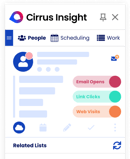
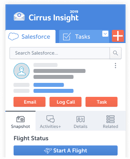
For this update, I compared 20 call transcription tools, checked every price against the vendors' own pricing pages, and cut every number I could not verify at the source.
The stakes are not abstract. Salesforce's State of Sales research, a double-anonymous survey of 7,775 sales professionals across 38 countries fielded in late 2022, found reps spend just 28% of their time actually selling; the rest disappears into admin like writing up calls. Good transcription software claws some of that time back. Here is what made the cut.
|
Turn every sales call into a Salesforce update. Cirrus Insight records the call, writes the summary, and files the follow-up for you. Schedule a demo
|
The Best Call Transcription Software at a Glance
- Cirrus Insight for Salesforce revenue teams
- Gong for enterprise revenue intelligence
- Chorus by ZoomInfo for coaching inside a B2B data stack
- Salesloft (Clari Copilot) for transcription tied to forecasting
- Avoma for mid-market meeting intelligence on a budget
- Fireflies.ai for multilingual transcription
- Otter.ai for low-cost live captions
- Fathom for free unlimited transcription
- HubSpot Sales Hub for HubSpot-native sales teams
- Dialpad for real-time transcription in a phone system
- CloudTalk for SMB calling with a transcription add-on
- Aircall for CRM-connected phone support
- JustCall for unlimited transcription minutes on a budget
- Nextiva for consolidating phone, SMS, and transcription
- RingCentral for an included AI assistant in a UCaaS suite
- CallRail for marketing call tracking
- Talkdesk for contact center quality assurance
- Five9 for compliance-heavy call centers
- Rev for human-verified accuracy
- Google Voice for basic voicemail transcription
What Is Call Transcription Software?
Call transcription software converts recorded phone calls, video meetings, and contact center conversations into searchable text. The transcription process runs on AI speech-to-text models that separate different speakers through speaker diarization, add timestamps, and turn spoken words into written text you can scan in seconds instead of replaying an hour of audio recording.
Modern AI tools in this category rarely stop at the transcript. Most layer on AI summaries, action item extraction, keyword tracking, sentiment analysis, and CRM syncing, so the record of a conversation becomes the start of a workflow rather than the end of one. The best thing to do is to automate the documentation nobody enjoys and surface the moments that matter.
The category splits into five sub-types, and knowing which one you are shopping for saves weeks of mismatched demos:
- Sales and revenue intelligence platforms. These record and transcribe sales calls, then analyze them for coaching signals, deal risk, and pipeline updates. Cirrus Insight, Gong, Chorus, Salesloft, and Avoma sit here.
- AI meeting assistants. A bot joins your Zoom, Google Meet, or Microsoft Teams meetings and returns the transcript, meeting notes, and a summary. Fireflies, Otter, and Fathom are the three to know.
- Business phone systems with built-in transcription. Phone call transcription software as a native feature of the dialer itself: Dialpad, CloudTalk, Aircall, JustCall, Nextiva, RingCentral, and Google Voice.
- Call center and call tracking platforms. Call center transcription software built for high-volume operations, QA scoring, and marketing attribution: Talkdesk, Five9, and CallRail.
- CRM-native and standalone transcription services. HubSpot transcribes inside its own CRM, and Rev is a dedicated transcription service with AI and human options for when accuracy is the entire job.
You will also see the category called call recording transcription software, because recording and transcribing calls are two halves of one workflow: the call recording captures the audio, and automated transcription turns it into text.
Real-Time Transcription vs Post-Call Transcription
Not every tool transcribes at the same moment, and the timing decides what the tool is for.
Real-time transcription puts text on screen during live calls. That is what powers live coaching prompts, objection alerts, and supervisor whisper workflows; Dialpad built its platform around it. Post-call transcription processes the recording after the call ends, and it usually comes out cleaner, because the engine works through the full audio in one pass instead of racing the conversation. CloudTalk, for example, is post-call only and says so plainly in its own documentation.
| |
Real-time transcription
|
Post-call transcription
|
|
Speed
|
Text appears during the call
|
Transcript ready shortly after the call ends
|
|
Accuracy
|
Lower; the engine processes mid-conversation
|
Higher; full audio processed in one pass
|
|
Best for
|
Live coaching, alerts on live calls
|
QA review, compliance records, CRM logging
|
If managers coach reps while the conversation is happening, prioritize real-time. If you mostly need searchable records and clean CRM entries, post-call is enough, and it is typically the more accurate of the two.
How I Evaluated These Call Transcription Tools
|
How this list is made. This article is published by Cirrus Insight, and our own platform holds the first position, so read that entry knowing we built the product. To keep the list useful anyway, every tool, ours included, is judged on the same five criteria and carries honest cons.
|
The five criteria, weighted roughly in this order:
- Transcription accuracy and language support. Accurate transcriptions on real business audio, with multilingual coverage where teams need it.
- CRM integration depth. Does the transcript land on the Salesforce or HubSpot record automatically, or does a rep still copy and paste?
- AI insight quality. Summaries, sentiment, topic tracking, and coaching signals that save review time rather than padding a feature list.
- Compliance and security. Consent handling, retention controls, encryption, and the certifications regulated teams ask about.
- Value against published pricing. What the entry price actually buys once add-ons, minimums, platform fees, and usage meters are counted.
Comparison Table: 20 Top Tools Compared
|
Tool
|
Best for
|
Standout feature
|
Starting price
|
Website
|
|
Cirrus Insight
|
Salesforce revenue teams
|
Transcripts and action items auto-synced to Salesforce
|
A la carte, from $5 per feature
|
Visit Cirrus Insight
|
|
Gong
|
Enterprise revenue intelligence
|
Smart Trackers across every conversation
|
Quote-based (platform fee reported)
|
Visit Gong
|
|
Chorus by ZoomInfo
|
Coaching inside a B2B data stack
|
Transcripts enriched with ZoomInfo data
|
Quote-based
|
Visit Chorus
|
|
Salesloft (Clari Copilot)
|
Transcription tied to forecasting
|
Conversation scoring feeds Clari Forecast
|
Quote-based
|
Visit Salesloft
|
|
Avoma
|
Mid-market meeting intelligence
|
Unlimited real-time transcription, free viewer seats
|
From $19/user/mo (annual)
|
Visit Avoma
|
|
Fireflies.ai
|
Multilingual transcription
|
100+ languages with AskFred search
|
Free; Pro from $10/user/mo (annual)
|
Visit Fireflies
|
|
Otter.ai
|
Low-cost live captions
|
Live captions with speaker identification
|
Free; Pro from $8.33/user/mo (annual)
|
Visit Otter
|
|
Fathom
|
Free unlimited transcription
|
Unlimited free recordings and transcriptions
|
Free; paid from $15/user/mo (annual)
|
Visit Fathom
|
|
HubSpot Sales Hub
|
HubSpot-native sales teams
|
Transcription inside the CRM record
|
From $90/seat/mo (Pro); CI on Enterprise
|
Visit HubSpot
|
|
Dialpad
|
Real-time transcription in a phone system
|
Live Ai transcription with sentiment
|
From $15/user/mo
|
Visit Dialpad
|
|
CloudTalk
|
SMB calling with an AI add-on
|
Conversation intelligence add-on at $9/user
|
From $25/user/mo + $9 AI add-on (annual)
|
Visit CloudTalk
|
|
Aircall
|
CRM-connected phone support
|
Native HubSpot, Salesforce, Pipedrive sync
|
From $30/license/mo (annual, 3-license min.)
|
Visit Aircall
|
|
JustCall
|
Unlimited transcription minutes
|
Unlimited AI transcription on Team and Pro
|
From $29/user/mo (annual, 2-license min.)
|
Visit JustCall
|
|
Nextiva
|
All-in-one phone consolidation
|
Voice, SMS, and chat in one inbox
|
From $15/user/mo (annual)
|
Visit Nextiva
|
|
RingCentral
|
UCaaS with included AI assistant
|
AI notes without recording the call
|
Quote-configured; annual saves up to 33%
|
Visit RingCentral
|
|
CallRail
|
Marketing call tracking
|
Transcripts attributed to campaigns and keywords
|
From $50/mo + usage
|
Visit CallRail
|
|
Talkdesk
|
Contact center quality assurance
|
Transcribes and analyzes 100% of interactions
|
From $85/user/mo
|
Visit Talkdesk
|
|
Five9
|
Compliance-heavy call centers
|
Recording bundled into every voice seat
|
From $119/seat/mo (50-seat min.)
|
Visit Five9
|
|
Rev
|
Human-verified accuracy
|
Human transcription at 99%+ guaranteed
|
Free 45 min/mo; from $25.49/user/mo
|
Visit Rev
|
|
Google Voice
|
Basic voicemail transcription
|
Voicemail-to-text inside Google Workspace
|
From $10/user/mo
|
Visit Google Voice
|
The 20 Best Call Transcription Software Tools, Reviewed
Here is how the leading tools compare, with what each does well, where it falls short, and what it costs as of October 2026.
1. Best Call Transcription Software for Salesforce Revenue Teams
Category: Sales and revenue intelligence platform
Pros:
- Transcripts, summaries, and action items land in Salesforce automatically
- A la carte pricing, so you pay only for the modules you run
- Buyer Signals connect call insights to email and meeting engagement
Cons:
- Built for Salesforce, so teams on other CRMs are out
- Meeting Capture pools 6 recorded hours per user per week
Disclosure first: Cirrus Insight is our product, and I am not pretending otherwise. It earns the top spot for one specific reader: the revenue team that lives in Salesforce and is tired of transcripts sitting in a separate dashboard.
Where Gong analyzes conversations and Otter captures them, Cirrus Insight executes on them. Meeting Capture records the sales call, produces the transcript and an AI summary, and Salesforce Sync files every email, meeting, and action item against the right opportunity without a rep touching a keyboard. Conversation Intelligence then organizes what was said so managers act on deal signals instead of hunting for them, and Buyer Signals layer in opens, clicks, and replies so you see momentum shift across the whole customer interaction, not just one call.
Two limits. First, this is not a dialer or a call center platform; if you need IVR and queues, look at Dialpad or Talkdesk further down this list. Second, the whole point is Salesforce, so HubSpot shops should read the HubSpot and Aircall entries instead.
Pricing is published a la carte, which is rare in this category: you assemble only what you use, and a free trial is available before you commit.
Cirrus Insight pricing: a la carte per user per month: Email Sync ($5), Salesforce Sidebar ($11), Buyer Signals ($10), Smart Scheduler ($20), Meeting Capture ($39), Live Coaching ($125). See the pricing page for bundles. All prices pending client confirmation before publishing.
2. Best for Enterprise Revenue Intelligence
Category: Sales and revenue intelligence platform
Pros:
- Deepest conversation analytics at enterprise scale
- Smart Trackers flag competitor mentions and objections across every call
- 15+ AI agents orchestrated through the 2026 Revenue Harness release
Cons:
- No public pricing, and buyers report a mandatory platform fee
- Overkill for teams that mainly need clean transcripts and CRM logging
Gong is the category heavyweight, and the numbers back it up: the company reported passing $500 million in annual recurring revenue in May 2026, growing 55% year over year with more than 5,000 customers.
The platform records and transcribes every conversation, then mines the corpus for deal risk, talk ratios, and coaching moments. 2026 was a big product year: the February Mission Andromeda release added Gong Enable for training, and June's Mission Big Dipper introduced an agentic layer and the Revenue Harness for coordinating AI agents across the pipeline, with metered AI credits arriving mid-year.
The trade-off is cost and opacity. Gong publishes no prices; procurement trackers such as Docket and Vendr-sourced data report roughly $1,300 to $1,600 per user per year for the Foundation license, a mandatory platform fee between $5,000 and $50,000, and around $7,500 for onboarding, with effective costs up 25% to 56% between 2023 and 2026. Treat those as reported figures, not list prices.
If the platform fee is the dealbreaker, Avoma and Fathom cover transcription and coaching basics for a fraction of the spend, and our Clari vs Gong comparison breaks down how Gong stacks up against the other enterprise option.
Gong pricing: quote-based. Reported ranges (not list prices): ~$1,300 to $1,600 per user per year plus a $5,000 to $50,000 platform fee and ~$7,500 onboarding, per procurement trackers.
3. Best for Coaching Inside a B2B Data Stack
Category: Sales and revenue intelligence platform
Pros:
- Transcription and coaching backed by ZoomInfo company and contact data
- Rep benchmarking against team patterns
- Keyword alerts for pricing talk and competitor mentions
Cons:
- Pricing is entirely quote-based
- Makes most sense only if you already run ZoomInfo
Chorus has lived inside ZoomInfo since the 2021 acquisition, and as of October 2026 it is sold as ZoomInfo Chorus AI, a conversation intelligence layer inside ZoomInfo's go-to-market platform rather than a standalone product.
The pitch is context: Chorus transcribes and analyzes your calls, then enriches what it hears with ZoomInfo's B2B database, so a prospect mentioning a competitor or a budget line gets matched to firmographic data automatically. Coaching features, keyword alerts, and rep benchmarking carry over from the classic Chorus feature set.
ZoomInfo's published Copilot plan tiers do not list Chorus as an included line item, so expect it to be scoped and priced by sales, and the whole package only pays off if ZoomInfo data is already part of your workflow. Teams comparing it head-to-head with the market leader should read our Gong vs Chorus breakdown before the demo call.
Chorus pricing: quote-based through ZoomInfo sales; no published seat prices as of October 8, 2026.
4. Best for Transcription Tied to Forecasting
Category: Sales and revenue intelligence platform
Pros:
- Conversation scoring feeds Clari Forecast directly
- Covers the before, during, and after of every deal in one platform
- Clari was named a Leader in Gartner's first Magic Quadrant for Revenue Action Orchestration (2025)
Cons:
- Quote-only pricing with reported minimums around $25,000
- The 2025-2026 brand transition can confuse buyers mid-evaluation
If the last version of this article you read called this tool Clari Copilot, here is what changed. The Clari and Salesloft merger closed on December 3, 2025, and in September 2026 the combined company moved to one brand: Salesloft. Clari Forecast keeps its name as a product; Copilot, the conversation intelligence module that began life as Wingman, continues inside the Salesloft platform.
The draw remains unchanged: post-call transcription and conversation scoring that flow straight into forecasting, so a risk flagged on a call shows up in the number your CRO reports. For teams that care more about forecast accuracy than rep-level coaching depth, that pipeline-first angle is the differentiator against Gong.
Pricing is quote-based. Procurement trackers report roughly $60 to $110 per user per month for Copilot, $200 to $310+ for the full platform, and contract minimums near $25,000; treat these as reported figures. Our Clari vs Gong comparison and Salesloft alternatives roundup cover the decision in depth.
Salesloft (Clari Copilot) pricing: quote-based. Reported: ~$60 to $110 per user per month for Copilot, ~$25,000 contract minimums, per procurement trackers.
5. Best for Mid-Market Meeting Intelligence on a Budget
Category: Sales and revenue intelligence platform
Pros:
- Unlimited real-time transcription on every paid plan
- Viewer and collaborator seats are free; only recorders pay
- Transcription in 70+ languages
Cons:
- Full conversation intelligence is a paid add-on, not in the base plan
- The vendor pricing page shows conflicting figures for the Organization tier
Avoma is the value play in the revenue intelligence group: it records meetings, produces real-time transcripts, and extracts decisions and action items without the enterprise contract Gong and Salesloft demand.
The pricing page is refreshingly concrete. Startup runs $19 per user per month billed annually ($29 monthly) for up to 25 paid seats and includes unlimited real-time transcription. Conversation Intelligence, with scorecards and coaching, is an add-on at $29 per user per month annually ($35 monthly), and Enterprise is $39 annually only, with a 10-seat minimum. A 14-day free trial of the Organization plan with all add-ons comes without a credit card.
One flag from my verification pass: the page displays both $24 and $29 for the Organization annual price, so confirm that figure with sales.
The seat model is the quiet win. Because viewers are free, a 10-rep team can give 40 stakeholders access to recordings and meeting notes while paying for 10 recorder seats. Add the 70+ language coverage, and Avoma punches at Fireflies on multilingual work while offering more revenue analytics than any meeting assistant on this list.
Avoma pricing: Startup $19/user/month annual ($29 monthly), Organization $24 to $29 annual (page shows both; confirm), Enterprise $39 annual only (10-seat minimum). Conversation Intelligence add-on $29 annual ($35 monthly). 14-day free trial.
6. Best for Multilingual Transcription
Category: AI meeting assistant
Pros:
- Unlimited transcription even on the free plan
- 100+ languages, the widest coverage on this list
- AskFred answers questions across your whole call history
Cons:
- Free plan caps storage at 400 minutes per team
- AI features draw on monthly credits that heavy users burn through
Fireflies sends a notetaker bot into your Zoom, Google Meet, or Microsoft Teams calls, handles the automated meeting capture, and returns a transcript, summary, and searchable record. Its headline advantage is multilingual transcription: 100+ languages, against six for Otter, which makes it the default for international sales teams.
The free plan is more generous than most: transcription itself is unlimited, with the meter sitting on storage (400 minutes per team) and AI credits (20 per month). Paid plans run $10 per user per month billed annually ($18 monthly) for Pro with 8,000 minutes of storage per seat, $19 annually ($29 monthly) for Business, which adds conversation intelligence, talk-time and sentiment analysis, and topic trackers, and $39 annually only for Enterprise with SSO, HIPAA support, and private storage.
One thing to watch: like Otter, Fireflies is defending biometric privacy lawsuits, with two Illinois BIPA suits filed in December 2025 and March 2026. Those are allegations, not findings, but if your calls touch regulated data, loop in counsel before rollout. For a line-by-line comparison with its closest rival, see our Otter AI vs Fireflies breakdown.
Fireflies.ai pricing: Free (unlimited transcription, 400 min storage/team), Pro $10/user/month annual ($18 monthly), Business $19 annual ($29 monthly), Enterprise $39 annual only.
7. Best for Low-Cost Live Captions
Category: AI meeting assistant
Pros:
- Cheapest paid entry among meeting assistants at $8.33 per month annually
- Live captions during meetings are among the best available
- MCP server access on every plan for AI workflow builders
Cons:
- Salesforce and HubSpot sync capped at 1 user on Pro and 5 on Business
- Six languages and hard minute caps
Otter popularized AI meeting transcription, and it is still the easiest way to get live captions on screen while people talk. The bot joins scheduled meetings automatically, identifies different speakers, and produces summaries with action items.
Know the caps before you buy. The free Basic plan covers 300 minutes a month at 30 minutes per meeting with three lifetime file imports. Pro is $8.33 per user per month billed annually ($16.99 monthly) with 1,200 monthly minutes, and Business is $19.99 annually ($30 monthly) with unlimited meetings capped at four hours each.
The limit nobody advertises is that CRM sync to Salesforce and HubSpot covers exactly one user on Pro and five on Business, going unlimited only on the custom-priced Enterprise tier. For a sales team of 15, that cap is the whole decision.
Also worth knowing: an August 13, 2026 federal ruling allowed wiretap and biometric privacy claims against Otter to proceed (In re Otter.AI Privacy Litigation, N.D. Cal.). Allegations only, but relevant if compliance reviews your stack. Fireflies beats it on languages; Fathom beats it on free limits; our full comparison runs the numbers.
Otter.ai pricing: Basic free (300 min/month), Pro $8.33/user/month annual ($16.99 monthly), Business $19.99 annual ($30 monthly), Enterprise custom.
8. Best Free Call Transcription Software
Category: AI meeting assistant
Pros:
- Unlimited recordings and transcriptions free forever
- Instant AI call summaries the moment the meeting ends
- Paid tiers undercut most rivals at $15 to $25 per user annually
Cons:
- AI action items and account-wide search are limited on the free plan
- Automatic CRM field sync requires the Business tier
Fathom is the answer to the most common complaint about Otter and Fireflies: the caps. Its free plan includes unlimited recordings and transcriptions, full stop, with instant AI summaries, clips, and cross-call search, and only features like AI action items marked as limited use.
Paid tiers stay aggressive: Premium for individuals is $16 per user per month billed annually ($20 monthly), Team is $15 annually ($19 monthly) with a two-user minimum, and Business is $25 annually ($34 monthly), which is where automatic CRM field sync lives, updating Salesforce and HubSpot records after meetings without rep input. Slack delivery is built in across tiers.
The catch for this article's audience is depth. Fathom captures and summarizes brilliantly, but it is a meeting assistant, not a revenue platform: no deal boards, no forecast roll-ups, no coaching scorecards. Pair it with a CRM workflow, or step up to Avoma or Cirrus Insight when you need the transcript to drive pipeline instead of just documenting it.
Fathom pricing: Free forever (unlimited recordings and transcriptions), Premium $16/user/month annual ($20 monthly), Team $15 annual ($19 monthly, 2-user minimum), Business $25 annual ($34 monthly), Enterprise custom.
9. Best for HubSpot-Native Sales Teams
Category: CRM-native transcription
Pros:
- Calls are recorded and transcribed inside the CRM record itself
- Bundled AI credits power summaries across the platform
- Free CRM tools make the on-ramp painless
Cons:
- Conversation intelligence with tracked terms requires Enterprise at $150 per seat
- Professional carries a required $1,500 onboarding fee
For teams that run their pipeline in HubSpot, recording calls anywhere else creates the exact copy-paste problem this software exists to kill. Sales Hub logs, records, and transcribes calls against the contact and deal record, with bundled credits (500 on Starter, 3,000 on Professional, 5,000 on Enterprise) powering the AI features.
Here is the correction most roundups miss, including the previous version of this article: conversation intelligence with tracked terms is an Enterprise feature. On the current pricing page, it appears only in the Enterprise column, which starts at $150 per seat per month with a $3,500 onboarding fee. Professional, at $90 per seat per month billed annually ($100 monthly) plus a required $1,500 onboarding fee, gets calling and transcription but not the tracked-terms CI layer. Starter was showing $7 per seat per month on annual billing when I checked, with $20 on monthly billing.
If you are HubSpot-native and need calling with conversation intelligence sooner than an Enterprise upgrade, Aircall and CloudTalk both sync transcripts into HubSpot from the phone-system side for far less per seat.
HubSpot Sales Hub pricing: Free tools $0, Starter $7/seat/month annual ($20 monthly), Professional $90 annual ($100 monthly) + $1,500 onboarding, Enterprise from $150 + $3,500 onboarding. Conversation intelligence: Enterprise only.
10. Best Real-Time Transcription in a Phone System
Category: Business phone system with built-in transcription
Pros:
- AI transcription included in the $15 entry plan
- Live transcription with speaker labels and sentiment during the call
- AI Recaps generate summaries automatically for licensed customers
Cons:
- Pro, Enterprise, and contact center prices are not published in a fetchable form
- Leans support and operations rather than pipeline analytics
Dialpad treats AI as the product, not the add-on. Its proprietary voice engine transcribes live calls in real time, labels speakers, and reads sentiment while the conversation is still happening, which is what makes live coaching and supervisor whisper workflows possible at all.
The entry price is the surprise: plans start at $15 per user per month, and Dialpad's own materials confirm AI-powered voice transcription, call recording, unlimited calling, and SMS/MMS sit in that base Standard plan, with a 14-day free trial. AI Recaps, the automatic post-call summaries, roll out to licensed Connect, Sell, and Support customers.
One note from my verification pass: the pricing page renders tier prices in the browser, so confirm current Pro and Enterprise rates, and AI Sales and AI Contact Center pricing, directly with Dialpad.
Against the field, Dialpad is the real-time pick: CloudTalk, by its own documentation, processes transcripts post-call, and most meeting assistants only cover scheduled video calls. For high-volume phone sales and smart call routing with insights on screen during live calls, this is the shortlist leader.
Dialpad pricing: Standard from $15/user/month with AI transcription included; Pro adds CRM integrations (confirm current rates with Dialpad); AI Contact Center and AI Sales priced separately. 14-day free trial.
11. Best SMB Calling With a Transcription Add-On
Category: Business phone system with built-in transcription
Pros:
- Transparent per-user pricing with a 1-license entry point
- AI Conversation Intelligence add-on costs $9 per user per month
- Local numbers in 160+ countries
Cons:
- Transcription is post-call only; no real-time mode
- AI is an add-on on every plan, never included
CloudTalk is a cloud phone system for sales and support teams that bolts conversation intelligence onto calling at an SMB price. Plans start at $25 per user per month billed annually (Starter), and the AI Conversation Intelligence add-on at $9 per user per month annually adds automated transcription, searchable transcripts, AI notes pushed to your CRM, sentiment analysis, call scoring, and topic extraction. A 14-day free trial requires no credit card.
Credit where due: CloudTalk's own comparison documentation states plainly that real-time transcription is not currently available, with transcripts generated after the call ends. Post-call processing is typically the more accurate of the two modes, so for QA review and CRM logging that trade is fine; for live whisper coaching, Dialpad keeps the edge.
The fit is a growing sales or support team that wants dialer, numbers in 160+ countries, and transcription under one subscription instead of stitching a phone system to a separate transcription app. Note that most plan prices are listed in EUR for European visitors; the dollar figures here reflect CloudTalk's published US pricing, so confirm your region's rate at checkout.
CloudTalk pricing: Starter from $25/user/month billed annually (Lite tier from $19 in some markets); Essential $29; Expert $49 (3-license minimum). AI Conversation Intelligence add-on $9/user/month billed annually. 14-day free trial.
12. Best CRM-Connected Phone Support
Category: Business phone system with built-in transcription
Pros:
- Call and voicemail transcription included from the Essentials plan
- Deep native connectors for HubSpot, Salesforce, Pipedrive, and Intercom
- Live monitoring and whisper for coaching on live calls
Cons:
- Three-license minimum on every plan
- AI summaries, sentiment, and key topics require Professional
- AI Assist Pro add-on runs another $49 per seat
Aircall's pitch is that the phone system should disappear into the tools you already use. Calls, recordings, and transcripts log automatically into HubSpot, Salesforce, Pipedrive, Zendesk, and Intercom, which is why it keeps showing up on shortlists for support and inside sales teams.
On the current pricing page, Essentials runs $30 per license per month billed annually and Professional $50, with annual billing saving 25% against monthly (monthly rates are not published on the page). Every plan carries a three-license minimum. Transcription of calls and voicemails is included in Essentials; the conversation intelligence layer, meaning AI call summaries, sentiment analysis, and key topics, sits in Professional, and the AI Assist Pro add-on costs $49 per seat per month on top.
The math matters: a three-seat Professional setup with AI Assist Pro lands near $300 a month, which is Gong-lite territory for a small team. JustCall delivers unlimited transcription minutes from $29 with a two-license entry if budget is the constraint; Aircall wins when the CRM connector quality is the constraint.
Aircall pricing: Essentials $30/license/month billed annually, Professional $50 (3-license minimum; annual billing saves 25%). AI Assist Pro add-on $49/seat/month. Enterprise custom.
13. Best Unlimited Transcription Minutes on a Budget
Category: Business phone system with built-in transcription
Pros:
- Unlimited AI transcription minutes on Team and Pro plans
- Two-license entry, the lowest minimum among phone systems here
- 14-day free trial without a credit card
Cons:
- Call summaries below Pro Plus require the $9 AI Review Assist add-on
- Monthly billing rates are not published on the pricing page
JustCall is the budget pick for SMB sales teams that burn through transcription minutes. On the current pricing page, Team at $29 per user per month billed annually and Pro at $49 both include unlimited AI transcription minutes, a line most competitors meter, and the minimum is just two licenses (Business, the custom tier, requires ten).
Where the plans separate is intelligence. Pro Plus at $89 annually bundles the AI suite: multi-channel AI notetaker, AI call scoring, real-time agent assist, and sentiment analysis. Below that, AI Review Assist, which includes call summaries, is a $9 per user add-on for Team and Pro.
Put it next to Aircall and the trade is clear: Aircall has the deeper connector catalog and live coaching tools; JustCall has the lower entry cost and the unlimited transcription guarantee. For a two-person founding sales team recording every demo, that guarantee is worth more than the extra integrations.
JustCall pricing: Team $29/user/month billed annually, Pro $49, Pro Plus $89 (2-license minimum); Business custom (10-license minimum). AI Review Assist add-on $9/user. 14-day free trial.
14. Best All-in-One Business Phone Consolidation
Category: Business phone system with built-in transcription
Pros:
- Core plan from $15 per user per month billed annually
- Voice, SMS, chat, and social in one inbox
- Contact center tiers on the same vendor when you outgrow the phone system
Cons:
- Call recording is an add-on at the Core tier
- Real-time transcription and AI call notes are reserved for the $75 Scale tier
Nextiva sells consolidation: one bill for calling, texting, chat, and basic intelligence. The lineup changed recently, so ignore older articles citing Digital or Power Suite tiers; the current pricing page lists Core at $15 per user per month billed annually, Engage at $25, and Scale at $75.
Read the feature map carefully, because transcription depth climbs the tiers. Core covers the phone system basics with call recording as an add-on. The AI layer, meaning real-time transcription plus AI call notes and summaries, is marked for the Scale tier, and on the contact center side (Essential from $75 per agent per month, Professional and Premium by quote) AI Transcription and Summarization is billed as usage-based on every tier.
That makes Nextiva a fit for companies standardizing communications first and adding intelligence second. If transcription on every seat from day one is the priority, Dialpad includes it at $15 and JustCall makes it unlimited at $29; Nextiva wins when the roadmap ends in a full contact center on one vendor.
Nextiva pricing: Core $15/user/month billed annually, Engage $25, Scale $75. Contact center: Essential from $75/agent/month, Professional and Premium by quote, with usage-based AI transcription.
15. Best Included AI Assistant in a UCaaS Suite
Category: Business phone system with built-in transcription
Pros:
- AI Assistant with transcriptions, summaries, and action items included at no additional cost
- AI notes work without recording the call
- 14-day free trial with up to 20 lines
Cons:
- Per-user plan prices sit behind a quote widget rather than on the page
- Fair-use policy caps AI notes at 500 minutes per user per month
RingCentral is the enterprise UCaaS answer on this list: voice, video, and messaging for distributed companies, with the RingEX Core, Advanced, and Ultra plans underneath. The 2026 differentiator is the Personal AI Assistant, which generates accurate transcriptions, summaries, and action items and is included at no additional cost, with the notable trick that AI notes can run without recording the call, a genuine help in consent-sensitive situations.
Transparency cuts the other way on price. The pricing page states that annual billing saves up to 33%, but per-user dollar figures render inside a configuration widget rather than on the page, so I am not printing numbers I could not verify; budget for a sales conversation. Published add-ons include an AI Receptionist from $39 and Conversational Intelligence from $60, and the fine print reserves the right to manage AI note usage above 500 minutes per user per month.
Against Nextiva, RingCentral trades the cheaper entry point for a stronger included AI layer and broader enterprise administration. Teams under 20 seats will likely find Dialpad or CloudTalk faster to buy and deploy.
RingCentral pricing: RingEX Core, Advanced, and Ultra configured via quote on the pricing page (annual billing saves up to 33%). AI Assistant included at no additional cost. Add-ons: AI Receptionist from $39, Conversational Intelligence from $60. 14-day free trial.
16. Best for Marketing Call Tracking
Category: Call tracking platform
Pros:
- Ties each transcript to the campaign, ad, or keyword that drove the call
- Transcription minutes included in every plan
- 14-day free trial without a credit card
Cons:
- Lead Tracking tiers include only 250 transcription minutes
- Premium Conversation Intelligence requires the $150+ Conversion tiers
- Not built for sales coaching
CallRail answers a marketing question, not a coaching one: which campaign made the phone ring, and what did the caller say? Dynamic number insertion attributes each inbound call to its source, and the transcript plus AI analysis turns call content into campaign data, which is why agencies and local-services marketers run it.
The current pricing starts higher than the old $45 figure still floating around the web: Lead Tracking is $50 per month, Lead Tracking Complete $95, Lead Conversion $150, and Lead Conversion Complete $195, all plus usage. Transcription is included everywhere, but the allowance jumps from 250 minutes on the Lead Tracking tiers to 10,000 minutes on the Conversion tiers, and the Premium Conversation Intelligence AI lives only in those $150+ Conversion plans. Each plan bundles 5 local numbers, 250 local minutes, and 25 texts, with overage rates on top.
Treat CallRail as the attribution layer. It tells you which spend produces valuable insights from real conversations; pair it with a sales platform like Cirrus Insight or a phone system like CloudTalk for the rep-facing workflow.
CallRail pricing: Lead Tracking $50/month, Lead Tracking Complete $95, Lead Conversion $150, Lead Conversion Complete $195, plus usage. Annual billing saves up to 10%. 14-day free trial.
17. Best for Contact Center Quality Assurance
Category: Contact center platform
Pros:
- Interaction Analytics can transcribe and analyze 100% of customer interactions
- Published per-user prices, rare in enterprise CCaaS
- Express offer gives sub-50-employee teams 25 licenses with no contract
Cons:
- Analytics inclusion by plan runs through a sales conversation
- Billing terms and commitments are not stated on the pricing page
Talkdesk is where call center transcription software stops being a note-taking convenience and becomes QA infrastructure. Its Interaction Analytics product transcribes and analyzes every customer interaction, feeding quality scoring, compliance review, and coaching queues across call center operations at enterprise scale.
Unusually for this segment, prices are on the page: the 2026 lineup runs Digital Essentials at $85 per user per month (digital channels only), Voice Essentials at $105 with speech recognition and voicemail transcription, Elite at $165 adding screen recording, performance management, and workforce management, and Industry Experience Clouds at $225. Older roundups still cite the retired Essentials, Elevate, and Elite trio at different prices; that lineup is gone. US and Canadian businesses under 50 employees can take the Talkdesk Express offer, 25 licenses and $100 in credit with no contract.
Scope Interaction Analytics with sales, since plan inclusion is not spelled out on the page. If a 50-seat floor or deeper workforce engagement is the requirement, compare Five9 next.
Talkdesk pricing: Digital Essentials $85/user/month, Voice Essentials $105, Elite $165, Industry Experience Clouds $225. Billing terms via sales; Express offer for sub-50-employee US and Canadian businesses.
18. Best for Compliance-Heavy Call Centers
Category: Contact center platform
Pros:
- Call recording bundled into every voice seat
- 3,000 AI minutes per bundled seat before usage pricing
- Concurrent-user pricing suits shift-based staffing
Cons:
- 50-seat minimum rules out small teams
- Plus, Pro, and Enterprise tiers are quote-only
Five9 serves the operations where transcripts are evidence: finance, insurance, healthcare, and anywhere an audit trail of customer conversations helps ensure compliance with regulatory requirements. Voice seats bundle call recording, secure RTP, and geo-redundancy by default, the enterprise-grade controls regulated operations expect- with the searchable transcript layer on top.
The published pricing covers two tiers: Digital at $119 and Core at $159 per concurrent seat per month, with Plus, Pro, and Enterprise by quote. Two structural details matter more than the sticker. Pricing is per concurrent user with a 50-seat minimum, which favors around-the-clock shift operations and excludes small teams entirely, and AI capacity is metered at 3,000 minutes per bundled seat with usage pricing beyond it. Which tiers include live transcription, agent assist, and quality management is not spelled out in the public table, so build that into the sales conversation.
Against Talkdesk, Five9 trades published plan breadth for bundled recording and concurrency pricing. Teams below the 50-seat floor should look at Talkdesk Express or Dialpad's contact center products instead.
Five9 pricing: Digital $119/concurrent seat/month, Core $159; Plus, Pro, and Enterprise by quote. 50-seat minimum; usage-based pricing may apply.
19. Best for Human-Verified Accuracy
Category: Standalone transcription service
Pros:
- Human transcription guaranteed at 99%+ accuracy in 12 hours or less
- Free tier includes 45 AI minutes every month
- Per-page legal transcript formats with specialist reviewers
Cons:
- AI transcription moved to subscriptions; no per-minute AI pricing remains
- Seat caps of 3 on Essentials and 5 on Pro
Every other tool on this list bets that AI accuracy is good enough. Rev is where you go when it is not: alongside its AI engine, it sells human transcription at $1.99 per minute with a stated guarantee of 99%+ accuracy delivered in 12 hours or less, plus per-page legal formats ($2.25 rough draft, $2.50 premium) produced by legal-trained reviewers. When one misheard word in a deposition, clinical note, or contract review changes the meaning, that human layer is the product.
The AI side restructured in 2026: per-minute AI pricing is gone, replaced by subscriptions. Free covers 45 AI minutes a month in English for one user; Essentials is $25.49 per seat per month billed annually ($29.99 monthly) with 5,000 minutes per user; Pro is $47.99 annually ($59.99 monthly) with 10,000 minutes; Unlimited is custom. Subscribers also get 10% to 15% off human transcription orders on annual plans.
For day-to-day sales calls, Fathom and Otter cost less and automate more of the workflow. Rev earns its slot as the accuracy escalation path the rest of your stack can send files to.
Rev pricing: Free (45 AI min/month), Essentials $25.49/seat/month annual ($29.99 monthly), Pro $47.99 annual ($59.99 monthly), Unlimited custom. Human transcription $1.99/minute.
20. Best for Basic Voicemail Transcription in Google Workspace
Category: Business phone system with built-in transcription
Pros:
- $10 per user per month entry inside Google Workspace
- Voicemail transcription included on the Starter plan
- Automatic call recording arrives at the Premier tier
Cons:
- No AI summaries, sentiment analysis, or coaching features
- Requires a Google Workspace subscription
Google Voice is the floor of this category, included deliberately: sometimes the requirement is just spoken words rendered as written text, attached to a number that rings on every device. For solo operators and small teams already paying for Google Workspace, it is the lowest-friction option on this list.
The plans are simple. Starter at $10 per user per month covers the essential features for up to 10 users: voicemail transcription and basic call recording. Standard at $20 lifts the user cap and adds on-demand recording, auto attendants, ring groups, and SIP Link for existing numbers. Premier at $30 brings automatic call recording and advanced activity reporting through BigQuery. All of it requires a Workspace subscription and lives in the Admin Console you already manage.
What you give up is everything the rest of this article is about: no AI summaries, no sentiment, no CRM intelligence. The moment call content needs to drive decisions rather than just sit in an inbox, step up to Dialpad or a meeting assistant like Fathom.
Google Voice pricing: Starter $10/user/month (up to 10 users), Standard $20, Premier $30. Requires Google Workspace.
How to Choose the Best Call Transcription Software
The right pick depends on your workflow, not on which vendor lists the most features. Four checks cover most of the decision.
Match the Tool to Sales or Support Use Cases
This is the split that sinks the most purchases. Sales-focused transcription tools prioritize deal risk detection, coaching metrics, and pipeline visibility; they exist for sales enablement leaders who need to know which behaviors win deals. Call center tools prioritize QA monitoring, compliance checks, and resolution metrics across thousands of daily customer interactions. A revenue intelligence platform like Gong bolted onto a support desk wastes money in both directions, and a QA suite like Five9 will never produce a forecast. Decide which use case you are buying for before the first demo.
Check That Transcripts Automatically Update Your CRM
Transcription without CRM sync just moves the manual work one step later. Look for platforms that log calls automatically, attach the transcript seamlessly to the right opportunity or ticket, and update records without a rep touching anything; that is the difference between documentation and execution.
Check the fine print too: native Salesforce and HubSpot connections update records the moment the call ends, while Zapier-style bridges need setup and can lag. And verify the seat math, since Otter, for instance, caps CRM sync at one user on Pro and five on Business. Finally, confirm which export formats the transcript supports (PDF, CSV, SRT) and whether an API lets you push transcripts into your own systems.
Test Transcription Accuracy on Your Own Calls
Vendors advertise high accuracy measured on clean audio, and those numbers tell you little about your Tuesday pipeline review with three people talking over a speakerphone. Accuracy drops with accents, crosstalk, background noise, and industry jargon the model has not seen. The only benchmark that matters is a free trial run on your own recordings: nearly every tool here offers one, so upload your five messiest calls before you sign anything. If the output still needs manual transcription cleanup, the tool failed your audio. And when a single misheard word carries legal or clinical weight, that is what Rev's human-reviewed service, with its stated 99%+ guarantee, exists for.
Mind Recording Consent Laws and Compliance
Recording and transcribing calls is regulated, and the rules depend on where both ends of the call sit. Under the federal Wiretap Act, US law requires the consent of at least one party to the conversation, but roughly 11 states, including California, Florida, Illinois, Maryland, Massachusetts, Pennsylvania, and Washington, primarily require all parties' consent, and a few split the rule by conversation type, with Connecticut and Nevada stricter for phone calls specifically, according to the Reporters Committee for Freedom of the Press.
On interstate calls, assume the stricter state's law applies. In the EU, GDPR requires explicit consent or a documented legitimate interest before you record, which is why compliance-ready platforms play automatic recording announcements and adjust them by region. Regulated industries should also check for encryption in transit and at rest, SOC 2 reports, HIPAA support where health data is involved, and retention controls that satisfy regulatory compliance reviews. None of this is legal advice; confirm the specifics with counsel for the regions where you operate.
Price the Whole Stack, Not the Seat
Sticker prices in this category are the start of the math, not the end. Add-ons change totals fast: CloudTalk's AI layer is $9 per user, Aircall's AI Assist Pro is $49, Avoma's conversation intelligence is $29. Enterprise platforms stack platform fees (Gong's reported $5,000 to $50,000) and onboarding charges (HubSpot's $1,500 on Professional).
Usage meters bite later: CallRail includes 250 transcription minutes on its entry tiers, and Five9 meters AI at 3,000 minutes per seat. Minimums decide eligibility outright, from Aircall's three licenses to Five9's 50 seats. Build the real monthly number for your team size before comparing anything else.
Which Call Transcription Tool Should You Pick?
There is no single best call transcription software, and anyone who tells you otherwise is selling the one they make (including, to be fair, the company whose blog you are reading). The honest shortcut: match the sub-type to your team first, then let budget, CRM, and compliance requirements narrow the field. Meeting-heavy teams start at Fathom, Fireflies, or Avoma. Phone-heavy teams start at Dialpad, CloudTalk, or JustCall. Contact centers start at Talkdesk or Five9. And Salesforce revenue teams should start one paragraph down.
Why Salesforce Teams Choose Cirrus Insight for Call Transcription
Most call transcription software stops at the transcript. Cirrus Insight doesn't.
Instead of recording conversations and storing them in a dashboard, Cirrus turns every call into structured, actionable pipeline data inside Salesforce. Video recordings, full AI-powered transcriptions, meeting summaries, buyer signals, and post-call action items sync automatically, with no manual updates required. That means:
It's not just transcription. It's execution. For revenue teams living in Salesforce, Cirrus Insight acts as the operational layer that keeps deals moving: improving CRM accuracy, reducing admin work, and giving leadership cleaner forecast visibility without another disconnected analytics dashboard. The goal is to close more deals with less typing.
If your goal is simply to transcribe calls, many tools can do that. If your goal is to turn conversations into revenue momentum, Cirrus Insight is built for exactly that. Schedule a Demo or start a free trial.
Call Transcription Software FAQs
What Is Call Transcription Software?
Call transcription software automatically converts recorded phone and video calls into searchable text using AI. Modern platforms go beyond the transcript itself, extracting summaries, action items, and conversation insights that help sales and support teams act on what was said instead of re-listening to recordings.
What Is the Best Call Transcription Software?
It depends on your workflow. Cirrus Insight leads for Salesforce revenue teams, Gong for enterprise analytics, Fathom for free transcription, Dialpad for real-time transcription inside a phone system, and Talkdesk or Five9 for contact centers. Match the sub-type to your team before comparing features.
What Is the Best Call Transcription Software for Sales Teams?
Sales teams should prioritize CRM integration, AI summaries, and coaching analytics. Gong and Chorus go deepest on coaching; Salesforce-native Cirrus Insight combines transcription with automatic CRM updates and pipeline visibility; JustCall and Dialpad cover phone-heavy teams at SMB prices.
What Is the Best Call Center Transcription Software?
Call centers need real-time transcription, QA monitoring, and compliance support at volume. Talkdesk's Interaction Analytics can transcribe 100% of customer interactions, Five9 bundles recording into every voice seat with a 50-seat minimum, and Dialpad covers smaller support teams with live transcription from $15 per user.
Is There Free Call Transcription Software?
Yes. Fathom offers unlimited recordings and transcriptions free forever, Fireflies gives unlimited transcription with 400 minutes of storage per team, Otter's free plan covers 300 minutes a month, and Rev includes 45 AI minutes monthly. Paid plans add CRM syncing, AI insight, and admin controls.
What Is the Difference Between Call Recording and Call Transcription Software?
Call recording software stores audio or video files. Call recording transcription software converts those recordings into searchable text, usually adding AI summaries, keyword tracking, and action items. Recording captures the conversation; transcription makes it usable without replaying it.
What Is the Difference Between Real-Time and Post-Call Transcription?
Real-time transcription displays text while the call happens, enabling live coaching and alerts; Dialpad is built around it. Post-call transcription processes the full recording after the call ends and is usually more accurate. Most QA, compliance, and CRM-logging workflows only need post-call.
Can Call Transcription Software Integrate With Salesforce?
Yes. Salesforce-native Cirrus Insight syncs transcripts, summaries, and meeting activity directly to opportunities with no manual entry, and Gong, Avoma, Fireflies, Dialpad, Aircall, and CloudTalk all offer Salesforce connectors. Check sync seat limits: Otter restricts Salesforce and HubSpot sync to one user on Pro.
How Accurate Is AI Call Transcription?
Accuracy depends on audio quality, accents, crosstalk, and jargon, and vendor numbers are measured on clean audio. Test any shortlist on your own recordings during a free trial. When a transcript must hold up as a record, Rev sells human transcription with a stated guarantee of 99%+ accuracy.
Is It Legal to Record and Transcribe Calls?
In the US, federal law requires one party's consent, but roughly 11 states, including California, Florida, and Pennsylvania, primarily require all parties' consent, per the Reporters Committee for Freedom of the Press. On interstate calls, assume the stricter law applies, and GDPR governs EU calls. Use automatic recording announcements and confirm specifics with counsel.
How Much Does Call Transcription Software Cost?
Based on vendor pricing verified in October 2026: meeting assistants run free to about $25 per user per month, phone systems with transcription run $10 to $50 plus add-ons, contact center platforms start at $85 to $159 per seat, and enterprise revenue intelligence like Gong is quote-based with reported platform fees from $5,000.
Can Call Transcription Software Improve Sales Performance?
Yes. Salesforce's State of Sales survey of 7,775 sales professionals found reps spend only 28% of their time selling. Transcription software returns admin hours, captures objections and next steps automatically, and lets managers coach from real conversations instead of memory, which compounds across a quarter.
Related Reading