I have sat through the Monday call where four people leave with four different ideas of what we agreed. A full transcript never fixed that for me. It just gave me more to reread.
What actually helped was a tool that turned the conversation into a short, honest summary I could act on. So, I compared the AI meeting summary tools teams actually reach for, leaning on vendor documentation, product reviews, and hands-on assessment, and pulled together the 13 that produce summaries people use instead of ignore.
For more detail, explore our salesforce ai tools guide.
One disclosure before we start: this is Cirrus Insight's blog, and Cirrus Insight is one of the 13. I judged it on the same criteria as everything else, cons included. Here is what made the cut, and which one fits which kind of team.
The 13 Best AI Meeting Summary Tools at a Glance
Cirrus Insight - best for Salesforce teams turning summaries into pipeline
tl;dv - best for async teams sharing skimmable highlight clips
Otter.ai - best for summaries backed by a full transcript
Fireflies.ai - best for searchable summaries across high meeting volume
Fathom - best free AI meeting summary tool
Avoma - best for sales call reviews and coaching
MeetJamie - best for ready-to-forward summaries
Sembly - best for decisions, risks, and accountability
Supernormal - best for instant summaries with zero setup
Zoom AI Companion - best for native summaries inside Zoom
Notion - best for summarizing meetings inside your docs
ClickUp - best for turning summaries into tasks
Zapier - best for triggering workflows from summaries
What is an AI Meeting Assistant Summary Tool?
An AI meeting summary tool uses AI to listen to a meeting and produce a short, clear summary of what mattered: the key points, the decisions, and the next steps. Instead of capturing every word, it focuses on outcomes, so you can move forward without rewatching or rereading the call.
Common outputs are short paragraph recaps, bullet-point summaries, highlighted moments, and clearly defined action items, usually delivered automatically once the meeting ends. The best tools can also transcribe and summarize the discussion, create meeting recaps, and make it easier to share outcomes with the right people.
Summary Tool vs Transcription vs Note Taker
|
Tool type
|
What it produces
|
Best used when
|
|
AI meeting summary tool
|
Concise summaries, action items, highlights
|
You want to know what mattered and what happens next
|
|
AI meeting transcription
|
Word-for-word transcripts
|
You need an exact record of what was said
|
|
AI meeting note taker
|
Summaries plus light context
|
You want less manual note-taking during the call
|
Four Sub-types of Summary Tool
Sales and CRM-context summary tools: Summaries tied to deal stage, accounts, and pipeline. Cirrus Insight and Avoma sit here.
Standalone meeting summary apps: Dedicated tools that join the call and summarize it. tl;dv, Otter.ai, Fireflies.ai, Fathom, MeetJamie, Sembly AI, and Supernormal sit here. For a closer evaluation, see our otter ai vs fireflies comparison.
Platform-native summary companions: AI built into a tool you already use. Zoom AI Companion and Notion AI sit here.
Workflow and task-automation summary tools: Turn the summary into tasks or automations. ClickUp AI and Zapier AI sit here.
For some teams, the right fit is a simple AI notetaker for every meeting. For others, the greater value comes from AI tools that connect meeting data to a broader workflow and automate follow-up.
How We Judged Each Tool
Summary clarity and usefulness: A strong summary is readable in under a minute and answers three things: what was discussed, what was decided, and what happens next. If it needs rewriting, the tool is not doing enough of the work.
Action-item accuracy: The best tools separate tasks, assign owners when possible, and reflect what was actually agreed, not generic next steps. This matters most for sales, customer success, and project teams.
Integrations with your workflow: At a minimum, it should work with Zoom or Google Meet. For teams, CRM, documentation, and project-management connections decide whether summaries turn into action or get ignored.
Editing and sharing: Even good AI summaries sometimes need a light edit. Look for quick wording tweaks, reordering, and sharing by link, email, or internal tools.
Pricing transparency: Some tools advertise low entry costs but cap summaries, meetings, or exports behind higher tiers. The best ones are upfront about what is included and when you will need to upgrade.
We also looked at whether each tool could support meeting participants during and after the call, produce meeting summaries without heavy cleanup, and offer the best experience for the type of team it serves.
How We Put This List Together
This guide is published by Cirrus Insight, and Cirrus Insight is one of the 13 tools on it. That is worth saying plainly.
To keep it fair, every tool here, ours included, is judged against the same five criteria above, and we kept the honest limitations on our own product in too. We compared the tools using vendor documentation, product reviews, and hands-on assessment, and added Fathom and Zoom AI Companion because they kept showing up as category leaders we would otherwise be missing.
AI Meeting Summary Tools Comparison (2026)
|
Tool
|
Best for
|
Standout feature
|
Starting price
|
Website
|
|
Cirrus Insight
|
Salesforce sales teams connecting summaries to prep, follow-ups, and execution
|
Summaries contextualized by Salesforce data
|
Free trial
|
Visit Cirrus Insight
|
|
tl;dv
|
Remote teams sharing quick recaps
|
Highlights linked to video moments
|
Free; paid from $20/user/mo
|
Visit tl;dv
|
|
Otter.ai
|
Teams that want summaries plus transcripts
|
Summaries condensed from a full transcript
|
Free; paid from $16.99/user/mo
|
Visit Otter.ai
|
|
Fireflies.ai
|
Teams managing high meeting volume
|
Cross-meeting topic and theme search
|
Free; paid from $18/user/mo
|
Visit Fireflies.ai
|
|
Fathom
|
Individuals and small teams who want a genuinely free summary tool
|
Unlimited free recording, transcription, storage
|
Free; Premium from $16/mo (annual)
|
Visit Fathom
|
|
Avoma
|
Sales teams focused on analysis and coaching
|
Summaries structured by deal stage
|
Paid from about $24/user/mo
|
Visit Avoma
|
|
MeetJamie
|
Teams that want ready-to-send summaries
|
Clean, human-readable paragraph summaries
|
Free trial; paid from $24/mo
|
Visit MeetJamie
|
|
Sembly
|
Teams focused on decisions and next steps
|
Summaries organized around tasks and risks
|
Free; paid from $10/user/mo
|
Visit Sembly
|
|
Supernormal
|
Teams wanting instant summaries
|
Summary delivered the moment the meeting ends
|
Free; paid from $18/user/mo
|
Visit Supernormal
|
|
Zoom AI Companion
|
Teams already on paid Zoom who want native summaries with no extra tools
|
Built-in summaries at no extra cost
|
Included with paid Zoom (Pro from $13.33/user/mo)
|
Visit Zoom AI Companion
|
|
Notion
|
Teams summarizing meetings inside their documentation
|
Turns pasted notes into structured summaries
|
AI add-on from $10/user/mo
|
Visit Notion
|
|
ClickUp
|
Teams turning summaries into tasks
|
Summaries feed directly into project tasks
|
AI add-on from $5/user/mo
|
Visit ClickUp
|
|
Zapier
|
Ops teams automating post-meeting workflows
|
Summaries trigger cross-app automations
|
Included with Zapier plans
|
Visit Zapier
|
Best for Salesforce Teams Turning Summaries Into Pipeline
Cirrus Insight (Web, Salesforce, Chrome)
Category: Sales and CRM-context summary tools
Homepage: Visit Cirrus Insight
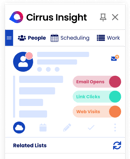
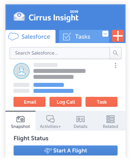
Cirrus Insight comes at meeting summaries from a sales execution angle. Reps do not just need a recap of what was said. They need to walk in prepared and walk out knowing exactly what to do next.
Instead of generic recap text, the AI evaluates each meeting in the context of deal stage, account history, relationship activity, and pipeline status. That lets it recommend follow-up actions, surface risks, and keep Salesforce records accurate without reps updating fields by hand. Pre-meeting AI prep also improves the quality and relevance of the summary you get afterward.
Where tl;dv or Otter hand you a recap that lives in isolation, Cirrus ties the recap to the deal it belongs to. The honest trade-off: it is built for Salesforce-based sales teams, so it is not the pick for non-sales work or transcription-only use.
Pros
- Summaries contextualized by Salesforce data
- Pre-meeting AI prep improves relevance
- Clear next steps cut post-meeting guesswork
Cons
- Best suited for Salesforce-based teams
- Not built for non-sales or transcription-only use
Cirrus Insight pricing: free trial; paid plans are flexible, so you pay for the features you use
Best for: Salesforce sales teams connecting summaries to prep, follow-ups, and execution
Best for Async Teams Sharing Skimmable Highlight Clips
tl;dv (Web, Zoom, Google Meet, Microsoft Teams)
Category: Standalone meeting summary apps
Homepage: Visit tl;dv
tl;dv is for people who do not want to reread a meeting and just want the highlights. Rather than rewriting the whole conversation, it pulls short recaps tied to key moments, and each highlight links straight to the video timestamp.
That makes it easy to skim or share a clip asynchronously, which is its real strength as an AI meeting video summary tool. If you care more about a quick shareable moment than a structured follow-up plan, it sits at the opposite end of the list from Avoma or Cirrus Insight. The honest catch: action items lack depth, and it is not built for structured follow-up.
It is especially useful for remote teams that need to create short clips from video calls, make updates easier to follow, and give people a way to catch up without watching the whole recording.
Pros
- Short, readable summaries
- Highlights link to video moments
- Genuinely useful free plan
Cons
- Action items lack depth
- Not designed for structured follow-up
tl;dv pricing: free plan; paid from about $20/user/month
Best for: Remote teams sharing quick recaps
Best for Summaries Backed by a Full Transcript
Otter.ai (Web, iOS, Android, Zoom, Google Meet, Teams)
Category: Standalone meeting summary apps
Homepage: Visit Otter.ai
Otter works best when you want the summary as a companion to the full transcript rather than a replacement. It generates the recap by condensing the transcript and surfacing key discussion points, so you get context, just not much interpretation.
Live transcription is strong, and collaboration is easy. If Fireflies leans on search across many calls, Otter leans on the single conversation in front of you. The summaries, however, can feel verbose, and action items are not clearly separated from the rest of the recap.
Pros
- Summaries benefit from full-conversation context
- Strong live transcription
- Easy collaboration
Cons
- Summaries can feel verbose
- Action items not clearly separated
Otter.ai pricing: free plan; paid from about $16.99/user/month
Best for: Teams that want summaries plus transcripts
Best for Searchable Summaries Across High Meeting Volume
Fireflies.ai (Web, iOS, Android, Zoom, Google Meet, Teams)
Category: Standalone meeting summary apps
Homepage: Visit Fireflies.ai
Fireflies is built for teams drowning in meetings who need summaries across everything, not just one call. It generates recaps by identifying recurring topics and themes, which makes it easier to see patterns across a week of calls.
Search and filtering are strong, and the integrations are broad. While Otter keeps you in one conversation, Fireflies is the one I would reach for when the question is what we said about a topic over the last ten calls. The summary quality varies, and action items can feel generic.
Pros
- Good cross-meeting visibility
- Strong search and filtering
- Broad integrations
Cons
- Summary quality varies
- Action items can feel generic
Fireflies.ai pricing: free plan; paid from about $18/user/month
Best for: Teams managing high meeting volume
Best Free AI Meeting Summary Tool
Fathom (Web, Chrome extension, iOS, Zoom, Google Meet, Teams)
Category: Standalone meeting summary apps
Homepage: Visit Fathom
Fathom is the tool nearly every competing roundup names as the free-tier leader, and it earns the spot. The free plan gives unlimited recording, transcription, and storage with no time limit and no credit card, and post-call summaries land in roughly 30 seconds.
It records Zoom, Google Meet, and Microsoft Teams through a Chrome extension, and on paid tiers, it syncs summaries and action items into Salesforce and HubSpot. That CRM angle puts it in the same conversation as Cirrus Insight, though Fathom is built for individuals first and sales teams second.
The free plan now caps advanced AI summaries at five calls per month, after which you get the basic template. A visible bot also joins the call, which can feel intrusive in client meetings, and field-level CRM sync is gated to the Business tier.
For people comparing AI options, Fathom is a strong starting point because it can record, transcribe, and summarize meetings with minimal setup.
Pros
- Most generous free recording and transcription
- Summaries ready in about 30 seconds
- Native HubSpot and Salesforce sync on paid tiers
Cons
- Free advanced AI summaries capped at 5 calls per month
- Visible bot joins meetings
- CRM field sync only on the Business tier
Fathom pricing: Free (unlimited recording; advanced AI summaries limited to 5 calls/month); Premium $20/month ($16 annual); Team $19/user/month ($15 annual); Business $34/user/month ($25 annual)
Best for: Individuals and small teams who want a genuinely free summary tool
Best For Sales Call Reviews and Coaching
Avoma (Web, Zoom, Google Meet, Teams)
Category: Sales and CRM-context summary tools
Homepage: Visit Avoma
Avoma treats the summary as a performance signal, not just a convenience. Recaps are structured around sales topics, deal stages, and conversational cues, which makes them useful for coaching and call review rather than only documentation.
It sits close to Cirrus Insight on the sales side, but where Cirrus is anchored in Salesforce execution, Avoma leans into the analysis and coaching layer. It is more complex than most tools here, and the price point is higher.
Avoma is useful when managers want an actionable view of a call, want to understand how the conversation moved, and need summaries that support coaching after a team meeting or customer call.
Pros
- Highly structured summaries
- Strong sales insights
- Useful for call reviews
Cons
- More complex than most tools
- Higher price point
Avoma pricing: paid plans typically range from about $24 to $29/user/month
Best for: Sales teams focused on analysis and coaching
Best for Ready-to-Forward Summaries
MeetJamie (Desktop (Mac, Windows))
Category: Standalone meeting summary apps
Homepage: Visit MeetJamie
MeetJamie is for people who want a summary they can forward without editing. It focuses on natural, human-readable recaps that condense a discussion into clear paragraphs and bullets, and the setup is minimal.
If Supernormal optimizes for raw speed, Jamie optimizes for a summary that reads like a person wrote it. The honest catch: customization is limited, and the integration ecosystem is smaller than the bigger standalone apps.
Its desktop app format makes it simple for teams that want a lighter way to capture meetings, create cleaner follow-ups, and send updates without rewriting the recap from scratch.
Pros
- Clean, readable summaries
- Minimal setup
- Easy to share externally
Cons
- Limited customization
- Smaller integration ecosystem
MeetJamie pricing: free trial; paid from about $24/month
Best for: Teams that want ready-to-send summaries
Best for Decisions, Risks, and Accountability
Sembly AI (Web, iOS, Android, Zoom, Google Meet, Teams)
Category: Standalone meeting summary apps
Homepage: Visit Sembly AI
Sembly is built for teams that care more about outcomes than conversation flow. Its summaries emphasize decisions, risks, and tasks, organizing each meeting around accountability rather than chronology.
That makes it handy for governance and follow-through, and it stands out for how clearly it separates action items from the rest of the recap. The interface can feel dense, and it needs some tuning to get the best results.
Sembly is a good fit when you need context-aware summaries, clear key points , and a reliable way to help your team understand what changed after the call.
Pros
- Clear action items
- Strong for governance and follow-through
- Good multi-language support
Cons
- Interface can feel dense
- Needs tuning for best results
Sembly AI pricing: free plan; paid from about $10 to $20/user/month
Best for: Teams focused on decisions and next steps
Best for Instant Summaries With Zero Setup
Supernormal (Web, Chrome, Zoom, Google Meet, Teams)
Category: Standalone meeting summary apps
Homepage: Visit Supernormal
Supernormal is for teams that want a summary the moment the meeting ends, with no setup or configuration. It produces short, clean recaps immediately after the call and prioritizes speed over depth, with simple onboarding and tidy formatting.
It plays a similar role to MeetJamie in the just-give-me-the-recap camp, but tilts even harder toward immediacy. The honest catch: depth is limited, and there are few customization options.
Pros
- Very fast summary delivery
- Simple onboarding
- Clean formatting
Cons
- Limited depth
- Few customization options
Supernormal pricing: free plan; paid from about $18/user/month
Best for: Teams wanting instant summaries
Best for Native Summaries Inside Zoom
Zoom AI Companion (Zoom (Pro and up))
Category: Platform-native summary companions
Homepage: Visit Zoom AI Companion
If your meetings already live in Zoom, the summary tool may already be in your plan. Zoom AI Companion is Zoom's built-in assistant, and its Meeting Summary with AI Companion toggle generates a post-meeting recap with a short overview, topic sections, and action items with assignees, usually within minutes of the call ending. A Catch Me Up feature also summarizes what you missed if you join late.
The economics are different from every standalone tool here. AI Companion is included at no extra cost on paid Zoom Workplace plans from Pro upward, so you are not adding a subscription; you are switching on a feature you already pay for.
It is locked to the Zoom ecosystem, so it will not follow you to Google Meet or Microsoft Teams without the paid Custom add-on. Summary quality is strongest in English, and it only summarizes meetings where the feature was active, with no way to summarize an old recording after the fact.
For teams already using Zoom, this can be a simple way to test a secure AI option inside the platform and support meeting productivity without adding another vendor.
Pros
- Included free with paid Zoom plans
- Native summaries plus Catch Me Up for late joiners
- No third-party bot or app to manage
Cons
- Locked to the Zoom ecosystem
- Summary quality drops for non-English meetings
- No retroactive summaries
Zoom AI Companion pricing: included with paid Zoom Workplace plans (Pro from $13.33/user/month annual, $16.99 monthly); cross-platform Custom add-on about $12/user/month
Best for: Teams already on paid Zoom who want native summaries with no extra tools
Best for Summarizing Meetings Inside Your Docs
Notion AI (Web, desktop, iOS, Android)
Category: Platform-native summary companions
Homepage: Visit Notion AI
Notion AI is not a meeting tool, but it is where a lot of teams turn raw notes into something usable. It rewrites pasted transcripts or notes into structured summaries, which makes it a flexible post-meeting option if your documentation already lives in Notion.
Unlike Zoom AI Companion, it does not capture the meeting itself. You bring the raw material, and it does the shaping, with full editing control. It, however, requires manual input and offers no automatic capture.
Notion AI works best when the prompt is clear, the source notes are organized, and the team already uses Notion as the place where decisions and follow-ups live.
Pros
- Highly flexible formats
- Strong for documentation
- Full editing control
Cons
- Manual input required
- No automatic capture
Notion AI pricing: AI add-on from about $10/user/month
Best for: Teams summarizing meetings inside their documentation
Best for Turning Summaries Into Tasks
ClickUp AI (Web, desktop, iOS, Android)
Category: Workflow and task-automation summary tools
Homepage: Visit ClickUp
ClickUp AI works best when a meeting summary needs to become tasks immediately. It converts notes or transcripts into recaps that feed straight into your project workflows, so the output lands where the work already happens.
It shares the summary-as-input philosophy with Zapier AI, but stays inside ClickUp's own task system rather than fanning out across apps. The summary quality depends on the input, and it is not meeting-native.
ClickUp AI is strongest when teams want summaries that become tasks, assignments, and next steps without needing another handoff between tools.
Pros
- Strong task linkage
- Good for execution
- Centralized work tracking
Cons
- Summaries depend on input quality
- Not meeting-native
ClickUp AI pricing: AI add-on from about $5/user/month
Best for: Teams turning summaries into tasks
Best for Triggering Workflows From Summaries
Zapier AI (Web (works across 8,000+ apps))
Category: Workflow and task-automation summary tools
Homepage: Visit Zapier AI
Zapier AI is for teams that want a meeting summary to trigger workflows automatically. Instead of optimizing for readability, it turns the summary into an input for automation across the tools you already use.
It is the most hands-off option on this list in terms of human reading, and the most powerful if your goal is one summary in, action across ten apps out. The honest catch: it requires setup and is not reader-friendly by default.
Pros
- Powerful automation potential
- Works across many apps
- Highly customizable
Cons
- Requires setup
- Not reader-friendly by default
Zapier AI pricing: included with Zapier plans; pricing varies by plan
Best for: Ops teams automating post-meeting workflows
So Which AI Meeting Summary Tool Should You Choose?
There is no single best AI meeting summary tool, and anyone who tells you otherwise is selling one. The right pick comes down to a few things: whether you need the summary tied to a CRM, how much you will pay, whether your team lives in one platform or many, and whether you want a quick recap or structured follow-through.
If you just need fast, free recaps, Fathom or Supernormal will do it. If your meetings already run on Zoom, AI Companion is probably already in your plan. And if meetings feed your pipeline, the summary should too.
That last one is the gap Cirrus Insight was built for. For Salesforce teams, it ties meeting summaries to deals, contacts, and opportunities, adds pre-meeting context that cuts prep time, suggests next steps, and keeps CRM data clean without manual updates. If meetings play a role in your pipeline, your summaries should too.
Start a free trial of Cirrus Insight
AI Meeting Summary Tool FAQs
What is an AI meeting summary tool?
It analyzes a meeting conversation and produces a concise summary of key points, decisions, and action items, so you do not need to reread transcripts or recordings.
How does meeting summary AI work?
It uses speech recognition and natural language processing to identify the important moments, then condenses them into readable summaries focused on outcomes rather than raw text.
What is the difference between AI meeting summaries and transcripts?
Transcripts capture everything word-for-word. AI meeting summaries focus on what matters most: decisions, next steps, and key takeaways.
Are AI meeting summary tools accurate?
Most are accurate for clear audio, but summary quality depends on meeting structure, speaker clarity, and how well the AI understands context.
What are the best AI meeting summary tools in 2026?
Strong options include Fathom, tl;dv, Otter.ai, Fireflies.ai, Avoma, Zoom AI Companion, Sembly AI, and Cirrus Insight, depending on whether you prioritize readability, action items, or workflow integration.
Are there free AI meeting summary tools?
Yes. Several offer free plans or trials, with Fathom and Zoom AI Companion among the most generous, though free tiers often limit meeting volume, summary depth, or exports.
Which AI meeting summary tool is best for sales teams?
Sales teams benefit most from tools that connect summaries to follow-ups and CRM data, such as Cirrus Insight, which ties summaries directly to Salesforce records.
Do AI meeting summary tools work with Zoom and Google Meet?
Most integrate with Zoom and Google Meet by joining meetings automatically or syncing through your calendar. Zoom AI Companion is built into Zoom itself.
Can AI meeting summary tools replace manual note-taking?
For most teams, yes. They significantly reduce or eliminate manual note-taking by delivering clear recaps and action items automatically after the meeting.
How do I choose the best AI meeting summary tool for my team?
Weigh summary clarity, action-item accuracy, integrations, editing and sharing options, and transparent pricing as your usage scales.
Start by deciding whether you need a simple recap, a full transcript, CRM-connected follow-up, or an AI chat experience where you can ask questions about past meetings.


.png?width=18&height=18&name=Vector%20(5).png)