I have spent the last three years running outbound for a Salesforce-first team, which means I have tried more lead-gen tools than I would like to admit. Some replaced a spreadsheet. A few replaced AE's morning. Most did neither.
So for this guide, I compared 16 AI tools that touch email lead generation, from the ones that find and enrich contacts to the ones that actually write and send the cold emails, and grouped them by the job they do in a real sales workflow.
Where I could not test a tool hands-on, I leaned on vendor documentation and current pricing pages, and I have flagged pricing throughout because it moves fast.
No single tool does all of this well. The right pick depends on your CRM, your team size, and whether email is your main channel or one of several. Below is what each one is actually good at, what it is not, and who should reach for it.
How We Judged These Tools
This list is published by Cirrus Insight, which is one of the tools reviewed. We have tried to be straight about that: Cirrus is judged on the same five criteria as every other tool, keeps its real limitations in its entry, and is placed first because it is genuinely built for the Salesforce-first email use case this guide leads with, not because we publish the page.
We reviewed 16 platforms across data, intent, cold-email execution, and conversational AI. Ratings draw on hands-on use where we had access, plus vendor documentation and live pricing pages otherwise. We do not take payment for placement, and pricing is flagged for you to confirm before you buy.
What is AI Email Lead Generation?
AI email lead generation process is the use of machine learning and automation to find the right prospects, enrich what you know about them, decide when they are worth contacting, and write or send personalized email outreach at scale. Instead of a rep digging through LinkedIn and pasting into a spreadsheet, software sources and scores leads, then drafts and sends email that reads like it was written for one person.
The category is broad, so it helps to split it into five sub-types. Every tool below is tagged with one of these.
Salesforce and CRM-native engagement. Lives inside your CRM and inbox, syncing activity and surfacing context. Best when your CRM is the center of gravity.
AI data and enrichment platforms. Find contacts and fill in firmographic, technographic and contact data so your lists are accurate before you send.
Intent and predictive signals. Watch for buying signals (hiring, funding, web activity) and tell you who to contact now, not just who exists.
AI cold email and deliverability tools. The execution layer: write, personalize, warm up inboxes, rotate sending, and land in the primary inbox. This is the core of email AI for lead generation.
Conversational and generative AI assistants. Chatbots and general LLMs that qualify inbound, reply in real time, or draft outreach on demand.
Across these categories, the strongest and best AI lead generation setups combine AI tools, CRM data, and practical automation tools. That combination can streamline lead generation, support lead list creation tasks, and help teams automate lead research without removing human judgment. For sales and marketing teams, the most useful lead generation efforts and strategies connect data, outreach, and lead response in one measurable workflow.
The 5 Criteria we Used
I scored every tool against the same five things, in this order:
Email lead-gen capability. Does it actually help find, personalize, or send email, or is email an afterthought?
Data quality and enrichment depth. How accurate are the emails, and how much does it know about each contact?
Signal and intent intelligence. Does it help you reach out at the right moment, or just hand you a static list?
CRM and inbox integration. Does it plug into Salesforce, HubSpot, Gmail and Outlook without manual re-entry?
Value and pricing transparency. Is the real cost clear, or does the headline price hide add-ons and per-seat math?
The 16 Best AI Email Lead Generation Tools at a Glance
|
Tool
|
Best for
|
Category
|
Standout feature
|
Starting price
|
Site
|
|
Cirrus Insight
|
Salesforce-first teams that live in the inbox
|
CRM-native
|
AI Meeting Prep + Buyer Signals
|
Feature-based; free trial
|
Visit
|
|
HubSpot Sales Hub
|
SMBs that want CRM and AI prospecting in one place
|
CRM-native
|
Breeze AI inside the CRM
|
From ~$20/user/mo
|
Visit
|
|
Apollo.io
|
Teams that want data and outreach in one budget-friendly tool
|
Data & enrichment
|
Database + sequencing in one
|
Free; from ~$49/user/mo
|
Visit
|
|
Clay
|
Growth and ops teams building custom enrichment workflows
|
Data & enrichment
|
Waterfall enrichment, 150+ sources
|
From ~$134/mo
|
Visit
|
|
ZoomInfo
|
Enterprises that need the largest B2B dataset
|
Data & enrichment
|
Largest B2B dataset + intent
|
Custom (~$15k+/yr)
|
Visit
|
|
Cognism
|
Compliant B2B data in EMEA and regulated markets
|
Data & enrichment
|
GDPR-compliant EMEA mobiles
|
Custom enterprise
|
Visit
|
|
LeadIQ
|
SDRs who prospect heavily on LinkedIn
|
Data & enrichment
|
One-click LinkedIn capture
|
Free; from ~$75/user/mo
|
Visit
|
|
Persana AI
|
Prioritizing warm accounts from intent data
|
Intent & predictive
|
Cross-channel intent scoring
|
Custom
|
Visit
|
|
6sense Revenue AI
|
Aligning sales and marketing around predictive ABM
|
Intent & predictive
|
Predictive in-market accounts
|
Custom enterprise
|
Visit
|
|
Instantly
|
High-volume cold email with unlimited inboxes
|
Cold email
|
Unlimited inboxes + warmup
|
From ~$37.60/mo
|
Visit
|
|
Smartlead
|
Agencies and teams sending cold email at scale
|
Cold email
|
Per-account, white-label
|
From ~$39/mo
|
Visit
|
|
lemlist
|
Multichannel personalization across email and LinkedIn
|
Cold email
|
Dynamic image/video personalization
|
From ~$59/user/mo
|
Visit
|
|
Regie.ai
|
Generating entire outbound sequences with AI
|
Cold email
|
Generative outbound sequences
|
Custom (~$35k/yr)
|
Visit
|
|
Drift
|
Converting website visitors into booked meetings
|
Conversational AI
|
Real-time visitor-to-meeting
|
From ~$2,500/mo
|
Visit
|
|
Exceed.ai
|
Automating lead qualification over email and chat
|
Conversational AI
|
Email/chat qualification AI
|
Custom
|
Visit
|
|
ChatGPT for Sales
|
A flexible, do-it-yourself AI prospecting sidekick
|
Conversational AI
|
DIY AI SDR via Zapier
|
Free; Plus ~$20/mo
|
Visit
|
The 16 Tools, and Who Each is For
Cirrus Insight for Salesforce-first teams that live in the inbox.
HubSpot Sales Hub for SMBs that want CRM and AI prospecting in one place.
Apollo.io for teams that want data and outreach in one budget-friendly tool.
Clay for growth and ops teams building custom enrichment workflows.
ZoomInfo for enterprises that need the largest B2B dataset.
Cognism for compliant B2B data in EMEA and regulated markets.
LeadIQ for SDRs who prospect heavily on LinkedIn.
Persana AI for prioritizing warm accounts from intent data.
6sense Revenue AI for aligning sales and marketing around predictive ABM.
Instantly for high-volume cold email with unlimited inboxes.
Smartlead for agencies and teams sending cold email at scale.
lemlist for multichannel personalization across email and LinkedIn.
Regie.ai for generating entire outbound sequences with AI.
Drift for converting website visitors into booked meetings.
Exceed.ai for automating lead qualification over email and chat.
ChatGPT for Sales for a flexible, do-it-yourself AI prospecting sidekick.
Best for Salesforce-first teams that live in the inbox
Cirrus Insight (Gmail, Outlook, Salesforce) Visit Cirrus Insight
Category: Salesforce and CRM-native engagement
Pros
Deep Salesforce-native experience, not retrofitted
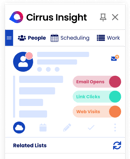
AI Meeting Prep pulls CRM, email and LinkedIn context before every call
Real-time Buyer Signals fire the moment a lead opens or clicks
Cons
Best value is Salesforce-centric; teams without it lose most of the benefit
Not a standalone data provider, so pair it with a lead source
Feature-based pricing can be hard to compare against flat-rate rivals
If your team runs on Salesforce, Cirrus Insight is less a CRM connector and more an engagement layer that sits in the inbox where reps already work. That is the reason it leads this list: for the Salesforce-first email use case, it does the job with less context-switching than anything else here.
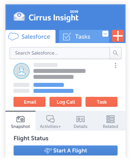
AI Meeting Prep assembles Salesforce records, email history, and LinkedIn detail into one view before a call, so outreach starts with context instead of a scramble. Buyer Signals track opens and clicks in real time, and Next Steps AI recommends follow-ups so warm leads do not go cold.
Where it stops is data: Cirrus does not source leads for you, so it works best paired with a database like Apollo or Clay. If you do not live in Salesforce, HubSpot Sales Hub covers similar ground inside its own CRM.
Cirrus Insight pricing: Feature-based / flexible pricing (pay for the features you use), free trial available.
Best for SMBs That Want CRM and AI Prospecting in One Place
HubSpot Sales Hub (Web, Gmail, Outlook) Visit HubSpot Sales Hub
Category: Salesforce and CRM-native engagement
Pros
All-in-one CRM with AI prospecting baked in
Easy adoption for SMBs and growing teams
Tight alignment with HubSpot Marketing Hub
Cons
AI features are lighter than specialized point tools
Less customizable for complex sales orgs
Costs climb quickly as seats and tiers scale
HubSpot Sales Hub is the natural pick when you want your CRM and your prospecting AI to be the same product. Its Breeze AI suggests the next best contacts based on engagement, auto-enriches records with company and website data, and drafts email copy inside the CRM.
For a small team that does not want to wire together five tools, that consolidation is the whole point. Where Cirrus Insight is built for teams standardizing on Salesforce, HubSpot is the equivalent home base for teams standardizing on HubSpot.
The trade-off is depth: its AI is broad rather than best-in-class, so heavy outbound teams often bolt on a dedicated cold-email tool like Instantly or Smartlead for sending.
HubSpot Sales Hub pricing: Sales Hub Starter from about $20/user/month; higher tiers add AI features.
Best for Teams That Want Data and Outreach in one Budget-Friendly Tool
Apollo.io (Web, Chrome, Gmail) Visit Apollo.io
Category: AI data and enrichment
Pros
Large B2B database with strong filtering and enrichment
Built-in sequencing for email and calling
A free tier makes it accessible to early-stage teams
Cons
Data accuracy varies by region and role, and the verified-email filter shrinks the pool
Outreach quality often needs manual refinement
The interface can feel crowded with overlapping features
Apollo.io is the value pick: a big B2B contact database with a sales engagement layer stapled on, so you can find a contact and email them without leaving the tool. Predictive lead scoring surfaces best-fit prospects, and AI sequences handle timing across email and calls. For a small US-focused team doing email outbound on a budget, it is hard to beat on price.
The caveats are that data accuracy is uneven once you filter for verified emails, and the AI copy needs a human pass. Many advanced teams use Apollo purely for data and pipe it into a dedicated sender, or let Clay pull Apollo data alongside other providers.
Apollo.io pricing: Free plan available; paid plans from about $49/user/month.
Apollo is also a clear example of how AI sales platforms combine data, sequencing, and automation. A team can create records, prioritize them through lead scoring and personalized outreach logic, and automate parts of prospect research before a rep steps in.
Best for Growth and Ops Teams Building Custom Enrichment Workflows
Clay (Web) Visit Clay
Category: AI data and enrichment
Pros
Waterfall enrichment across 150+ data providers
Claygent AI agent researches prospects at scale
Powerful AI-assisted personalization for outreach
Cons
Steep learning curve for non-technical users
Spreadsheet-style UI is not rep-friendly
Credit costs scale quickly with usage
If data is your lever, Clay is the engine. It runs waterfall enrichment across dozens of providers (so you only pay for the source that returns a match), and its Claygent agent can research almost anything about a company or person and write personalized copy from it. Growth and ops teams love it because it automates research that used to be manual.
It is not a rep tool, though: the spreadsheet interface has a real learning curve, and credits burn fast on big lists. Clay is often the layer that feeds the cold-email tools further down this list, exporting enriched, personalized lists straight into Smartlead or Instantly.
Clay pricing: From about $134/month (includes a starting credit allotment); CRM sync sits on a higher tier.
For teams evaluating tools like Clay, the value is the ability to connect multiple providers and apply using lead enrichment logic at scale.
Best for Enterprises That Need the Largest B2B Dataset
ZoomInfo (Web, Salesforce, HubSpot) Visit ZoomInfo
Category: AI data and enrichment
Pros
Massive database with deep firmographic detail
Strong AI-driven intent and account recommendations
Robust integrations across the GTM stack
Cons
Expensive and contract-heavy
Can overwhelm reps with too much data
Data freshness varies by segment
ZoomInfo is the enterprise default for raw data scale. It analyzes intent signals to recommend target accounts, automates enrichment and list building against your ICP, and integrates cleanly with Salesforce, HubSpot and outreach platforms. For a large team that needs a vast, standardized dataset, it delivers.
The downsides are the classic enterprise ones: annual contracts, a price that starts high, and enough data that reps can drown in it. Teams often pair it with a dedicated sender rather than relying on its native outreach, much like they do with Apollo, just at a very different price point.
ZoomInfo pricing: Custom pricing; contracts commonly start around $15,000/year.
Best for Compliant B2B Data in EMEA and Regulated markets
Cognism (Web, Chrome) Visit Cognism
Category: AI data and enrichment
Pros
Excellent GDPR-compliant data coverage
Strong phone-verified mobile accuracy in EMEA
Trusted by regulated enterprises
Cons
Premium pricing limits accessibility
Less focus on engagement or workflow automation
The UI is more data-centric than rep-centric
Cognism is the data provider to reach for when compliance is not optional. It delivers GDPR-compliant contact data with verified emails and phone-verified mobiles, and its EMEA mobile coverage is a genuine standout. Intent signals and firmographics help reps focus on decision-makers most likely to buy.
It is priced as a premium enterprise tool and is more of a data source than an engagement platform, so like ZoomInfo, you will pair it with a sender. If your outbound touches European prospects, its compliance posture is the reason to choose it over a US-first database.
Cognism pricing: Custom enterprise pricing.
Best for SDRs Who Prospect Heavily on LinkedIn
LeadIQ (Chrome, Web) Visit LeadIQ
Category: AI data and enrichment
Pros
One-click lead capture from LinkedIn via Chrome extension
AI enrichment fills missing fields and removes duplicates
Syncs leads straight to Salesforce or Outreach
Cons
Limited intelligence beyond data capture
Enrichment depth is lighter than heavier competitors
Works best as a point solution, not a platform
LeadIQ is built for one job and does it fast: capturing leads off LinkedIn and getting them into your CRM without manual entry. The Chrome extension grabs a contact in a click, AI enrichment fills gaps and dedupes, and its Scribe feature drafts a first-pass email. For SDRs who live in Sales Navigator, that speed adds up.
It is deliberately narrow, though. It will not score intent or run your email campaigns, so it sits alongside a database and a sender rather than replacing them. Think of it as the capture step feeding tools like Smartlead or your CRM.
LeadIQ pricing: Free plan available; paid plans from around $75/user/month.
Best for Prioritizing Warm Accounts From Intent Data
Persana AI (Web) Visit Persana AI
Category: Intent and predictive signals
Pros
- Strong intent-signal aggregation across channels
- Automatically refines your ICP based on deal outcomes
- Helps reps prioritize the warmest accounts first
Cons
- Limited transparency into the scoring logic
- Needs clean CRM data to perform well
- Custom pricing is a barrier for smaller teams
Persana AI turns scattered signals into a priority list. It scans CRM data, social activity, and website behavior to surface accounts showing real buying intent, segments them with AI, and refines your ICP as deals close and stall. For a team that already generates plenty of leads but struggles to know who to email first, that prioritization is the value.
The scoring can feel like a black box, and it leans on your CRM being tidy, so it rewards teams with good data hygiene. It pairs naturally with a sender: Persana tells you who and when, a tool like Instantly or lemlist handles the how.
Persana AI pricing: Custom pricing based on usage and data sources.
Best for Aligning Sales and Marketing Around Predictive ABM
6sense Revenue AI (Web, Salesforce, HubSpot) Visit 6sense Revenue AI
Category: Intent and predictive signals
Pros
- Best-in-class predictive intent modeling
- Aligns sales, marketing and RevOps on one view
- Strong account-level insight for ABM
Cons
- Long implementation cycles
- Account-based rather than rep-level
- High enterprise cost
6sense sits at the strategic end of this list. It uses predictive analytics and anonymous intent to identify in-market accounts before they raise a hand, scores them by behavior, and gives sales, marketing and RevOps a single picture of the pipeline. For GTM teams running account-based motions, it is category-defining.
It is also a heavy lift: implementation takes time, the model works at the account level rather than telling an individual rep which person to email, and the price is firmly enterprise. Where Persana is a lighter prioritization layer, 6sense is the full predictive platform.
6sense Revenue AI pricing: Custom enterprise pricing.
Best for High-Volume Cold Email With Unlimited Inboxes
Instantly (Web) Visit Instantly
Category: AI cold email and deliverability
Pros
- Unlimited connected email accounts on every plan
- Automated warmup and deliverability tooling built in
- Unibox unified inbox for managing every reply in one place
Cons
- Modular pricing (Outreach, Lead Finder and CRM are billed separately) means the real stack costs more than the headline
- Email-only, with no native LinkedIn channel
- The built-in CRM is basic compared to HubSpot or Pipedrive
Instantly is the tool most people picture when they hear cold email software, and for good reason. Its Outreach product lets you connect unlimited sending accounts at a flat price, warms them up automatically, rotates sends to protect deliverability, and pools every reply into the Unibox. That unlimited-inbox model is a genuine cost advantage over per-inbox rivals once you scale domains.
A separate Lead Finder product taps a large B2B database if you need contacts.
The modular pricing: Outreach, Lead Finder and the CRM are three separate subscriptions, so budget for the full stack, not the entry price. It is email-only, so pair it with a data tool like Clay or Apollo for lists, and reach for lemlist if you need LinkedIn in the same sequence.
Instantly pricing: Outreach from about $37.60/month (billed annually) or $47/month monthly; Lead Finder billed separately from about $47/month.
Best for Agencies and Teams Sending Cold Email at Scale
Smartlead (Web) Visit Smartlead
Category: AI cold email and deliverability
Pros
- Per-account (not per-seat) flat pricing
- Unlimited mailbox connections and warmup on every tier
- White-label client dashboards for agencies
Cons
- Email-only, with no native LinkedIn automation
- No native lead database; SmartProspect is a paid add-on
- Real cost runs several times the base price once mailboxes and verification are added
Smartlead is the cold-email infrastructure play, built for volume and for agencies. Its wedge is structural: unlimited email accounts and warmup on every plan, inbox rotation, a master unified inbox, and per-account pricing that does not multiply as you add teammates. For an agency running campaigns across many client domains, the white-label dashboards (each client gets a branded login) are the deciding feature, and no other platform at this price point includes them natively.
It is closest to Instantly on model, and cheaper than lemlist once your team grows past a couple of seats. The trade-offs: it is email-only, it has no built-in data (SmartProspect is extra), and like every sender the true cost climbs once you factor in mailboxes and verification.
Smartlead pricing: Basic from about $39/month (2,000 active leads, 6,000 emails); Pro about $94/month; Unlimited tiers from about $174/month.
Best for Multichannel Personalization Across Email and LinkedIn
lemlist (Web, Chrome) Visit lemlist
Category: AI cold email and deliverability
Pros
- Multichannel sequences combining email, LinkedIn, calls and WhatsApp
- Standout dynamic personalized images and video
- Built-in lead database with enrichment, so you can find and message in one place
Cons
- Per-seat pricing gets expensive fast for larger teams
- Enrichment credits expire monthly with no rollover
- Lemwarm warmup is now a paid add-on for new accounts
lemlist is the personalization-first option, and the one to choose when a reply matters more than raw volume. It runs email, LinkedIn, calls and WhatsApp inside a single sequence, and its signature move is dynamic personalization: custom images and short videos generated per prospect, which lift reply rates on high-value lists.
A built-in lead database and enrichment mean you can prospect and message without a separate data tool. The pricing model is the catch. Unlike Instantly and Smartlead, lemlist charges per seat, so a five-rep team pays five times over, and its credits reset monthly. For a solo founder or small team where personalization is the edge, that premium is worth it; for a large email-only team chasing volume, Smartlead or Instantly is the cheaper fit.
lemlist pricing: Email plan from about $59/user/month; Multichannel from about $99/user/month; annual billing is lower.
Best for Generating Entire Outbound Sequences with AI
Regie.ai (Web) Visit Regie.ai
Category: AI cold email and deliverability
Pros
- High-quality generative AI for outbound messaging
- Standardizes tone across a large team
- Improves over time using engagement data
Cons
- Enterprise pricing only
- Focused on outbound, not the full funnel
- Needs human oversight to avoid AI sameness
Regie.ai takes the writing off your plate. It generates whole outbound sequences, email and LinkedIn, in your tone and against your ICP, suggests personalized templates per lead, and optimizes campaigns from engagement data. Its newer AI Agents push toward autonomous prospecting. For an outbound team that wants creative firepower at scale without every rep writing from scratch, it standardizes quality fast.
Two limits: it is priced for the enterprise, and because it is generative, unsupervised it can drift into the same AI cadence every competitor produces, so a human editor still matters. Where Instantly and Smartlead handle sending, Regie is about the message that goes into them.
Regie.ai pricing: Custom enterprise pricing; larger teams typically land around $35,000/year.
Best for Converting Website Visitors Into Booked Meetings
Drift (Web) Visit Drift
Category: Conversational and generative AI
Pros
- Excellent real-time website engagement
- Strong meeting-booking automation
- Tight CRM integrations for instant handoff
Cons
- High starting price
- Focused on inbound only
- Needs steady website traffic to justify the cost
Drift works the other end of the funnel from the cold-email tools: it turns website visitors into qualified leads in real time. Its AI chatbot engages visitors, qualifies them, and books meetings, then hands off to a rep with full context through CRM integration, and chat flows personalized by visitor intent.
For a business with real inbound traffic and a fast follow-up motion, it shortens time-to-lead considerably. It is an inbound play, though, so it does nothing for outbound prospecting, and the entry price assumes you have the traffic to make it pay. It complements, rather than competes with, the senders above.
Drift pricing: From about $2,500/month for mid-size teams.
Best for automating lead qualification over email and chat
Exceed.ai (Web, Email) Visit Exceed.ai
Category: Conversational and generative AI
Pros
- Automates lead qualification at scale
- Consistent follow-up without rep effort
- Improves speed-to-lead
Cons
- Limited personalization for complex sales
- Less useful for high-touch, high-ACV deals
- Effectiveness depends heavily on conversation volume
Exceed.ai is an AI assistant that qualifies leads through conversation. It engages prospects over email or chat with human-like replies, follows up without a rep lifting a finger, routes qualified leads in real time, and learns from past conversations.
Where Drift focuses on live website chat, Exceed leans on email-led nurture, which makes it a natural fit for teams that want the qualification step automated on the channel this guide centers on. It is best on higher-volume, more repeatable motions; for complex, high-touch deals, the scripted personalization shows its limits. It sits between your inbound flow and your reps, filtering for the conversations worth a human.
Exceed.ai pricing: Custom pricing based on conversation volume.
This is one of the clearest ways to use AI in a repeatable funnel: apply automated qualification to high-volume conversations while routing complex opportunities to people. In practice, AI enables faster triage, and AI enhances consistency without making every interaction fully autonomous.
Best for a Flexible, Do-it-Yourself AI Prospecting Sidekick
ChatGPT for Sales (Web, API, Zapier) Visit ChatGPT for Sales
Category: Conversational and generative AI
Pros
- Extremely flexible and customizable
- Low cost for experimentation
- Strong content and research capabilities
Cons
- Requires technical setup and maintenance
- No native CRM intelligence
- Not purpose-built for sales workflows
ChatGPT is the build-it-yourself option. Wired up with Zapier or custom GPTs, it drafts personalized outreach from CRM or LinkedIn data, summarizes public research on a prospect, and can act as a lightweight AI SDR inside your own workflows. For a technical team that wants to prototype cheaply, nothing is more flexible.
The flip side is that flexibility needs setup and upkeep, has no native understanding of your CRM, and is not built for sales out of the box, so it will not manage deliverability or sequencing the way Instantly or Smartlead do. Treat it as the raw engine you assemble around, not a finished platform.
ChatGPT for Sales pricing: Free tier available; Plus from about $20/month; API billed by usage.
So Which AI Email Lead Generation Tool Should You Pick?
There is no single best tool here, and any list that tells you otherwise is selling something. The right choice comes down to three questions: what runs your CRM, how big your team is, and whether email is your main channel or one of several.
If you need data, start with Apollo (budget), Clay (custom workflows), ZoomInfo (enterprise scale) or Cognism (EMEA compliance). If you need to send at scale, Instantly and Smartlead win on unlimited inboxes and flat pricing, while lemlist wins when personalization and LinkedIn matter more than volume. If you need to know who to contact now, Persana and 6sense read the intent signals. And if inbound is your edge, Drift and Exceed qualify it automatically.
If your team runs on Salesforce, this is where Cirrus Insight fits. It will not source leads for you, so pair it with one of the data tools above. What it does is turn those leads into conversations: AI Meeting Prep gives reps context from Salesforce, LinkedIn and email before every outreach, Buyer Signals show you exactly when a prospect engages, and Next Steps AI keeps follow-ups from slipping. It keeps your CRM clean without manual entry and lets reps reach out at the moment leads are most responsive.
Ready to make your lead generation simpler, not just smarter? Book a 30-minute Cirrus Insight demo and see how your reps can spend less time hunting and more time closing.
AI Email Lead Generation: FAQs
1. What is AI email lead generation?
AI email lead generation uses artificial intelligence to find, qualify and nurture leads and then write or send personalized email outreach automatically. It analyzes data from CRM activity to web behavior to surface the prospects most likely to convert, so reps spend time on high-value conversations instead of manual research.
2. Does AI email lead generation work?
Yes, when it is fed clean data. AI is very good at enriching contacts, scoring intent and personalizing email at a scale no rep can match, and personalized campaigns consistently outperform generic ones. The results depend on the inputs: messy CRM data and unwarmed sending domains will sink even the best tool, which is why deliverability tools like Instantly and Smartlead exist.
3. What are the best AI tools for lead generation in 2026?
It depends on the job. For Salesforce-native engagement, Cirrus Insight. For data and enrichment, Apollo, Clay, ZoomInfo and Cognism. For cold email sending, Instantly, Smartlead and lemlist. For intent, Persana and 6sense. The right one depends on your stack, team size and channel.
4. Can ChatGPT do lead generation?
Partly. Connected to your tools through Zapier or custom GPTs, ChatGPT can draft personalized outreach, summarize prospect research and act as a lightweight AI SDR. It has no native CRM intelligence and does not manage deliverability or sequencing, so it works best as a flexible building block alongside a purpose-built platform, not as a standalone lead-gen tool.
5. Can Cirrus Insight be used for AI email lead generation?
Yes. Cirrus combines AI meeting prep, real-time engagement tracking and CRM automation to streamline the email side of lead gen. It helps reps spot the most engaged leads, prep outreach automatically and keep Salesforce data clean, turning manual prospecting into a guided process. It is strongest paired with a data source, since it engages leads rather than sourcing them.
6. Do AI lead generation tools integrate with Salesforce and other CRMs?
Most do. Cirrus Insight, HubSpot, Apollo and others offer direct integrations with Salesforce, HubSpot and Pipedrive, so leads, engagement metrics and AI insights sync automatically for accurate forecasting. Integration depth is a real differentiator, so confirm how a tool writes activity back to your CRM before you commit.
7. Are AI lead generation tools compliant with GDPR and privacy laws?
Reputable platforms follow standards such as GDPR, CCPA and SOC 2, and Cognism in particular is built around compliant sourcing. Before choosing a tool, confirm its data-sourcing practices, opt-out handling, and encryption, especially if you contact European prospects.
8. Do AI lead generation tools replace sales reps?
No, they change what reps spend time on. AI handles research, scoring, follow-up and first-pass copy so reps focus on relationships, strategy, and closing. The best-performing teams treat AI as a co-pilot, not a replacement.
9. How should a team apply AI in its process?
Start with a narrow problem. A team might use AI to research each prospect, score intent or draft outreach, then add automation once the process is reliable. This makes it easier to measure whether AI-powered tools improve conversion rather than simply increasing activity.
10. How do these platforms work?
AI-driven lead generation tools use data and automation to identify, enrich, prioritize and engage potential buyers. They may support lead sourcing, qualification, CRM updates or outreach, and the strongest platforms connect those activities into a repeatable system.
Related reading
Keep going with these guides from the Cirrus Insight blog:
Salesforce email tracking: a complete guide
Salesforce Outlook integration explained
What is Einstein Activity Capture?
How AI meeting prep changes sales calls
Buyer intent signals and how to act on them


.png?width=18&height=18&name=Vector%20(5).png)